By Alexander Merz · Updated on
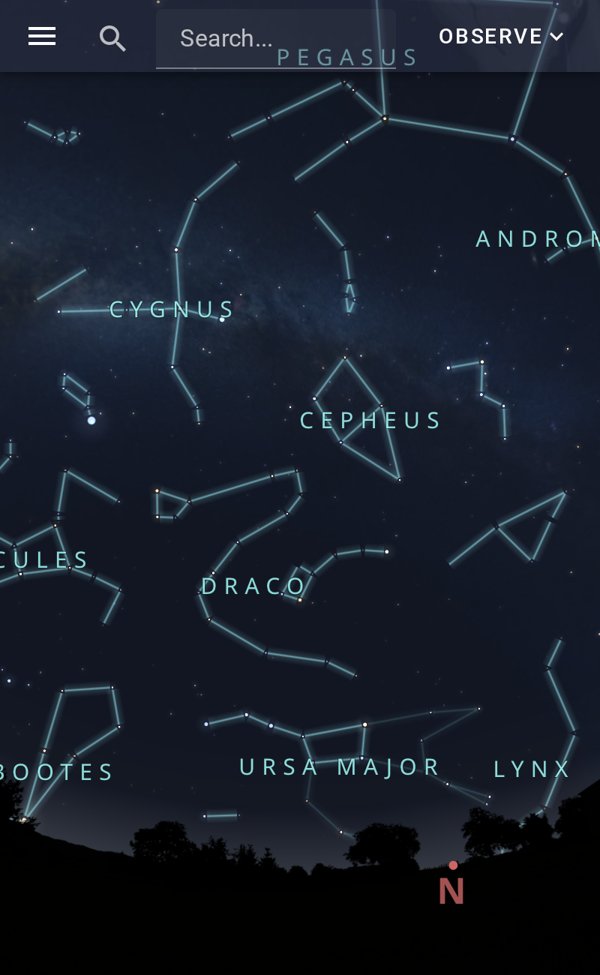
A stargazing app is a pocket planetarium: you hold your phone up to the sky, and the app uses GPS, compass and motion sensor to show which stars, constellations and planets you are looking at right now.
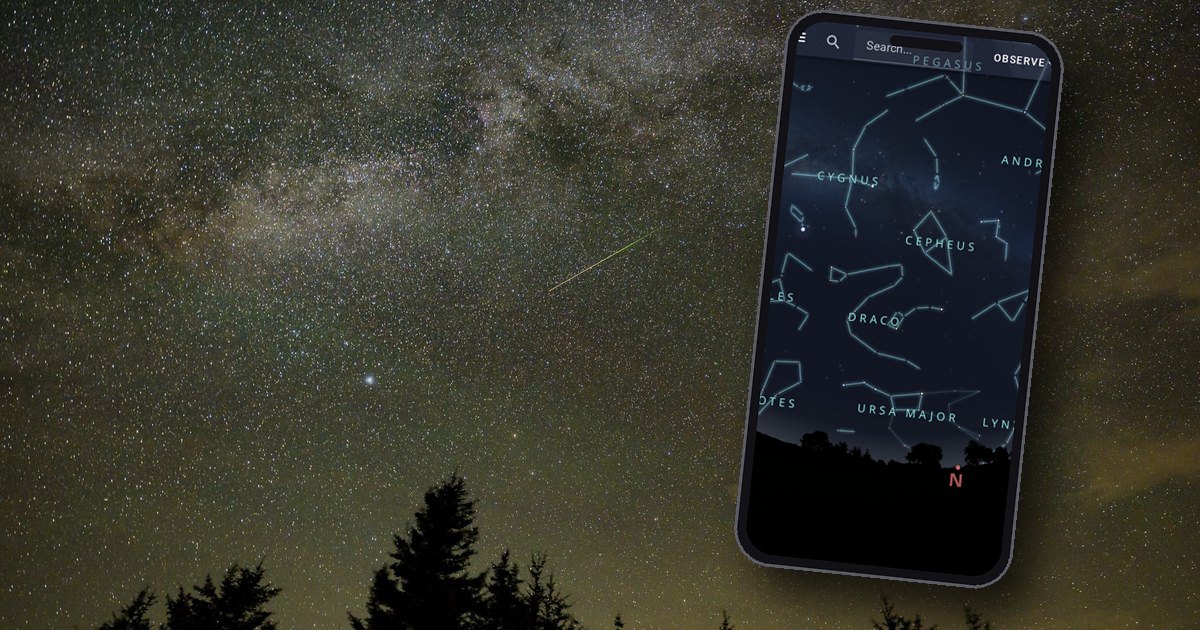
The best astronomy apps compared
We compared the seven apps that keep showing up in search results, app stores and astronomy forums. We checked prices and features on 30 September 2026 in the US App Store and Google Play – subscription prices change more often than the sky does.
| App | Systems | Cost | Strengths |
|---|---|---|---|
| ⭐ Our pickStellarium Mobile | Android, iPhone | Free, no ads; Plus upgrade one-time or as a subscription | Offline, camera mode, red light; telescope control with Plus |
| SkySafari 7 Plus | Android, iPhone | One-time $9.99; optional Premium subscription | Planning, huge database, offline; controls telescopes |
| Star Walk 2 | Android, iPhone | Free with ads; one-time upgrade removes ads | Camera mode, 3D constellations, offline |
| Sky Guide | iPhone/iPad only | Free; Plus $4.99/month or $39.99/year | Most beautiful display, offline, ISS alerts |
| Night Sky | Apple devices only | Free; “+ Aura” subscription | Camera mode, AI assistant |
| Sky Tonight | Android, iPhone | Free with ads; Premium subscription | Sky calendar, stargazing index |
| Stellarium Web | Browser | Free, nothing to install | Same sky as Stellarium, also on a PC |
The apps in detail: strengths and catches
Stellarium Mobile: the free all-rounder
Stellarium Mobile comes from the makers of the well-known desktop planetarium program. The free version shows everything you can see with the naked eye or binoculars – stars, constellations, planets, bright nebulae and satellites – with no ads and no sign-up.
The Plus version is only worth it once you own a telescope: it controls GoTo mounts (mounts that slew to objects by motor) from Celestron, Sky-Watcher and Meade and shows billions of stars. The catch: the interface is plainer than Sky Guide or Star Walk. Download from Google Play or the App Store.
SkySafari 7 Plus: for nights at the telescope
SkySafari is the app experienced observers mention most often. Its strength is observation planning: object lists, an observing log and a database that goes far beyond what a beginner needs.
The Plus version is a one-time purchase and controls telescopes via Wi-Fi or Bluetooth. For a simple “which star is that?” it is overkill – free Stellarium does that job.
Star Walk 2: pretty, but with ads
Star Walk 2 is made by Vito Technology in Berlin and is the most playful app in our comparison: 3D constellation figures, music, space news. The free version shows ads, and some object groups such as comets or deep-sky objects cost extra.
Sky Guide: the most beautiful iPhone app
Sky Guide is only available for iPhone, iPad and Mac. No other app shows the sky so elegantly and calmly, and it works without a signal. The basics are free; the full star catalogue and extras need a subscription.
Night Sky: with an AI assistant, by subscription
Night Sky from iCandi Apps runs on Apple devices only. The subscription with the “Aura” AI assistant is the most expensive in our comparison, but the free part is enough for identifying stars.
Sky Tonight: the sky calendar
Sky Tonight is Star Walk’s sister app. Its bonus is the calendar: meteor showers, eclipses, planet positions and an index that combines moonlight, light pollution and clouds into one stargazing score.
Stellarium Web: a star map in the browser
Stellarium Web runs directly in the browser at stellarium-web.org. No installation, no account – handy on a PC or on someone else’s phone.
The downside: without internet it does nothing, and there is no camera mode. Out in the field, an installed app is the better choice.
Free stargazing app: what you get without a subscription
You don’t have to spend a cent to get started. Stellarium Mobile is free, ad-free and covers the entire visible sky; Star Walk 2 and Sky Tonight are free with ads, and Stellarium Web needs no installation at all.
Paying only makes sense once you need a specific feature. Telescope control and observation planning are the only reasons we really accept – nicer graphics are a matter of taste.
Identifying stars with an app: how camera mode works
To know where you are looking, the app combines four pieces of information. GPS and clock determine which sky is above you; motion sensor and compass determine the section your phone is pointing at.
The motion sensor is very accurate, the compass is not. The magnetometer in your phone – the electronic compass – is easily disturbed: by magnetic cases, cars, metal railings or a telescope mount right next to it.
Why the app is off – and how to fix it
If the app shows the Big Dipper a hand’s width away from the real one, the compass is almost always to blame. Here is how to get it back on track:
- Calibrate the compass: wave your phone through the air a few times in a figure of eight. Many apps ask you to do this automatically.
- Remove magnets: take off cases with magnetic clasps, MagSafe rings and mounts.
- Keep your distance: two or three steps away from the car, metal fences and the telescope.
- Allow location access: without GPS the app calculates with the wrong place and shows a shifted sky.
- Adjust it yourself: many apps let you drag the view with your finger – line it up with a bright star you know for sure.
Night mode: red light instead of glare
Your eyes need 20 to 30 minutes to adapt to the dark. A single glance at a bright screen undoes that in seconds.
So switch on the app’s red-light or night mode and turn the brightness all the way down. Red light disturbs dark adaptation the least.
No installation needed: our sky tools in the browser
Just want to know quickly what’s up tonight? Our web tools run without an app, without ads and without an account – but also without camera mode.
- Interactive star chart: the sky for your location and any time, to print or view on screen.
- Identify constellations: the method that helps you learn the sky even without a phone.
- All astronomy tools: calculators, calendars and charts at a glance.
To be honest: out under the stars, an installed app is more convenient. Our tools are meant for planning in the afternoon – and for anyone who doesn’t want yet another app on their phone.
App or planisphere?
The app knows more, the paper chart shows more at once. A planisphere needs no battery, doesn’t dazzle you and shows half the sky at a glance instead of through a palm-sized window.
That’s why many observers use both: the chart to orient yourself, the app to look things up. With children in particular, the chart is often the better tool, because their eyes stay on the sky instead of the screen.
Analogue, no battery: Oculum Swivelling Sky Map 29 cm

A planisphere shows the sky for any date and time – without a screen that dazzles your eyes.
Price: € 19.90
When the app controls the telescope: smart telescopes
With smart telescopes the app is not an add-on but the control panel. You tap an object, the device slews to it on its own and shows the image right on your phone – there is no eyepiece any more.
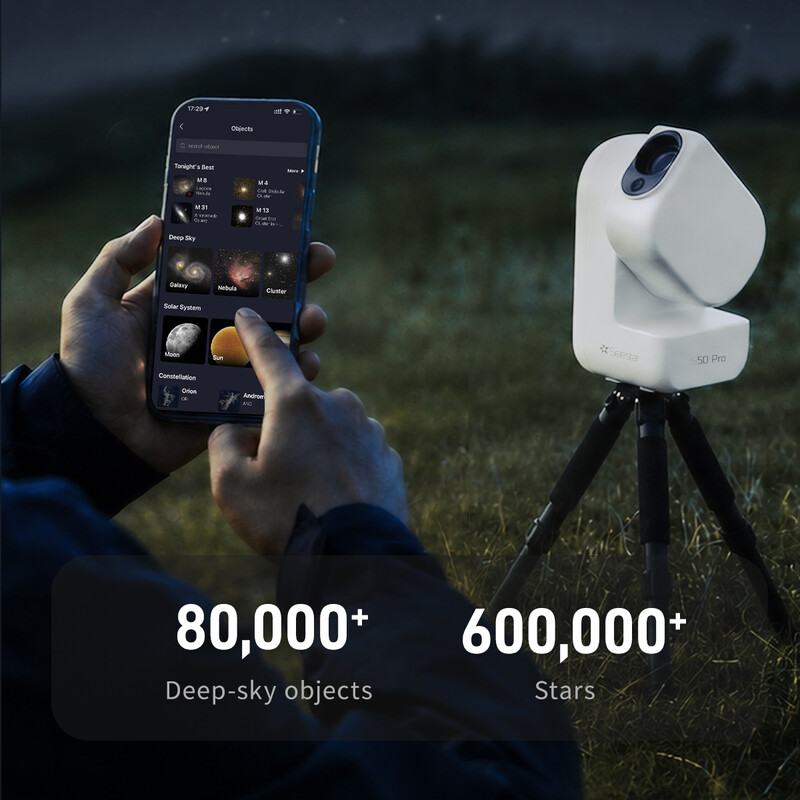
That comes at a price: you don’t see the nebula with your own eyes, but as a stacked photo on the screen. If that appeals to you, our smart telescope comparison covers all current devices with their strengths and weaknesses.
Controlled by app: ZWO Seestar S50 Pro Smart Telescope
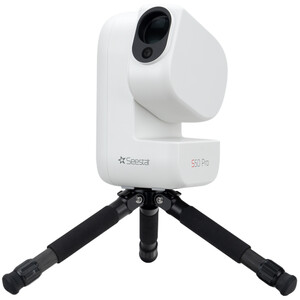
The direct successor to the Seestar S50: a 50/260 apochromatic quadruplet, two cameras and a built-in dual-band filter that pulls nebulae out of a city sky.
Price: € 999
By the way: if you want to photograph the sky with your phone rather than just identify it, our guide to smartphone astrophotography will help.
Frequently asked questions about astronomy apps
What is the best free stargazing app?
Stellarium Mobile. The app is free on Android and iPhone, shows no ads and works without a connection. Star Walk 2 and Sky Tonight are free too, but show ads.
Which app can I use to identify stars in the sky?
Every app in our comparison except Stellarium Web has a camera mode: you hold up your phone, and the app labels what you see. It works most reliably with a calibrated compass and no magnetic case.
Is the Stellarium app free?
Yes. The basic version of Stellarium Mobile is free and ad-free, and so is Stellarium Web in the browser. Only the Plus version with telescope control and a larger star catalogue costs money, either once or as a subscription.
Which app shows what’s in the sky tonight?
Almost every app has a “tonight” view; Sky Tonight’s is especially clear. Without an app, our interactive star chart shows the sky for your location at any time.
Does a stargazing app work without internet?
Yes, Stellarium Mobile, SkySafari, Star Walk 2 and Sky Guide work offline. GPS works without mobile data, too. Only Stellarium Web needs an internet connection.
* Affiliate link: if you buy through this link we may earn a small commission from Astroshop or High Point Scientific, at no extra cost to you.