By Alexander Merz · Updated on · Details checked on 14 October 2026
How can you get started in astrophotography as cheaply and stress-free as possible? That’s what this article aims to answer.
Astrophotography is the photography of the sky, the stars and other celestial objects. There are many reasons why people are drawn to astrophotography, including the beauty of the sky, the scientific significance of celestial objects and the chance to create unique, breathtaking images.
But how do you get started if you don’t want to invest right away in the expensive and demanding equipment needed for deep-sky astrophotography or planetary photography?
Getting Started in Astrophotography: Tips and Tricks for Beginners
Astrophotography is a fascinating way to experience and document the sky and the stars in a unique way. In this article, we’ll give you some important tips and tricks that will help you get into the world of astrophotography quickly and easily.
Choosing a Location and Preparation
The first step in astrophotography is choosing the right location. A place with as little light pollution as possible is ideal for getting clear, sharp images. A good way to find such a spot is to use apps like “Light Pollution Map” or “Dark Sky Finder”.
A stable base for your camera is also important to avoid camera shake. A tripod is a good choice here. If you don’t have the option of using a tripod, you can alternatively use a stable surface such as a rock or a tree stump.
It’s also important to have the right equipment. A lens with a short focal length (e.g. 24mm) is ideal for capturing a wide field of view (wide-field shot). A long focal length is recommended for detailed shots, for example when you want to photograph the Moon.
A DSLR camera is also an advantage, as it usually offers better setting options than a compact camera or a smartphone.
Subjects for Beginners
The Moon is a fascinating object in the night sky that everyone can see, but with a camera you can capture it in a completely new way.
Moon
The Moon offers many possibilities for different types of shots, such as close-ups of craters or wide-angle shots with landscapes in the foreground. The Moon is also a great subject for improving your photography skills, as it is very bright and lets you experiment with your camera settings to get the best possible image.
Milky Way
Another fascinating object in the night sky is the Milky Way. The Milky Way is a vast collection of stars that appears from Earth as a glowing band across the sky. With a camera you can capture the beauty of the Milky Way and create incredible images.
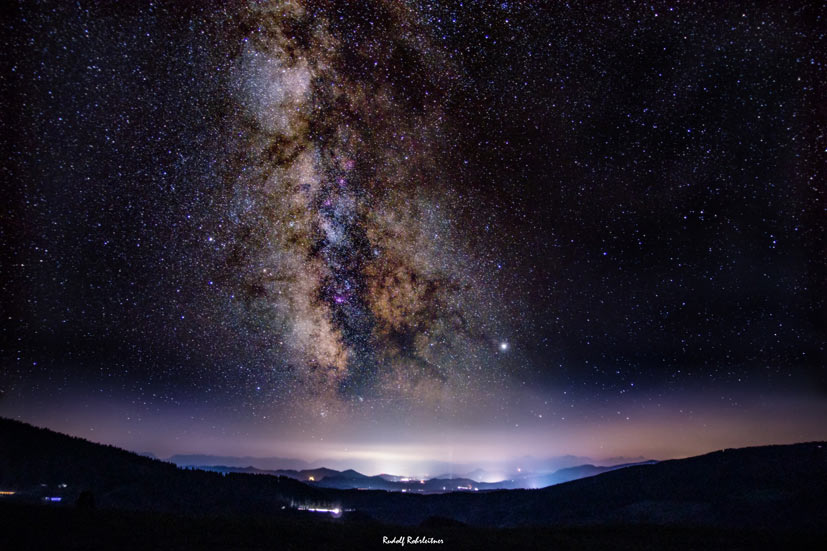
Astrophotography often requires longer exposure times to capture the stars and the Milky Way, so you need a stable tripod and a way to keep the camera steady during the exposure and even compensate for the Earth’s motion. But if you do manage to get a good image, you’ll be impressed by the beauty of the Milky Way.
Getting Started in Astrophotography with a Smartphone
You don’t need to own expensive equipment to get started in astrophotography. In fact, your smartphone can also be a useful option for taking impressive night shots.
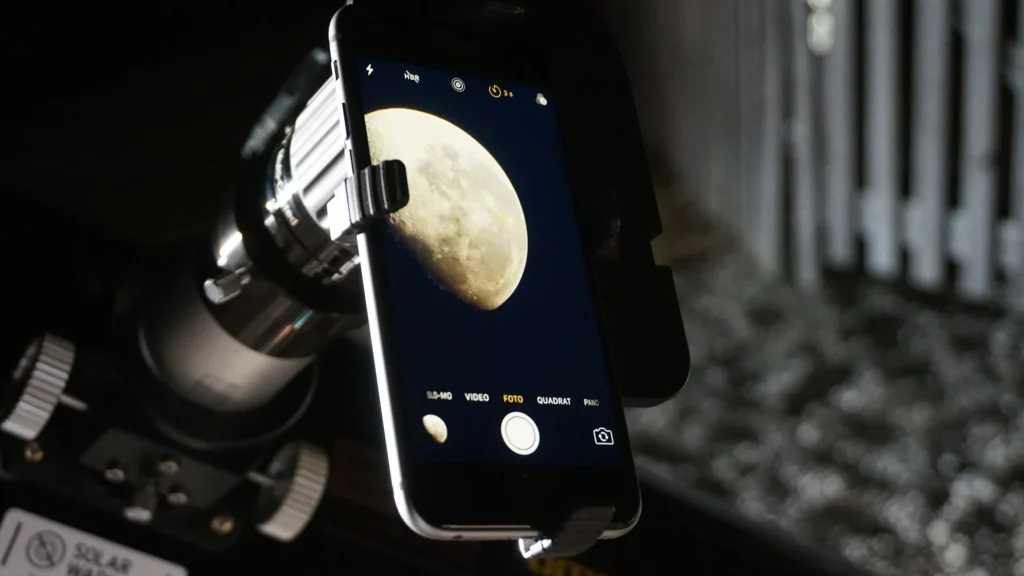
Here are a few tips for astrophotography with your smartphone:
- Find a spot with minimal light pollution: look for a location with minimal light pollution to get clear images.
- Use a tripod: use a tripod or a stable surface to avoid camera shake. Don’t expose for longer than 4 seconds, otherwise star trails will appear.
- Manual settings: use manual settings such as ISO, exposure time and focus to have better control over the image.
- External lenses: use external lenses to improve your camera’s performance and take better shots. Here are a few recommended lenses:
- Wide-angle lens: The Moment Wide 18mm lens is a great option for smartphone astrophotography. It offers high optical quality and a wide-angle view of 110 degrees. It fits many smartphones and is easy to mount.
- Telephoto lens: The Apexel 12x telephoto lens is a good choice for capturing the Moon, stars and planets. It can zoom in closer than most smartphone cameras and offers better image quality. It comes with a tripod and a phone holder.
- Telescope as a lens: With an adapter, the smartphone can be connected to the telescope.
- Optional – editing: use editing software to optimise and enhance your shots.
- Post your images on sterngucker.de 8)
A high-tech intermediate step would be a smartscope like the eVscope II. However, its price is surely well beyond a beginner’s budget.
DSLR Astrophotography
For more advanced astrophotography shots, you need a DSLR camera and a mount. Often, interested photographers already own a DSLR.
Choosing the right lens is also important in order to capture as wide a section of sky as possible and gather more light for wide-field shots.
A mount is also necessary to allow longer exposure times and minimise camera shake.
Camera Settings
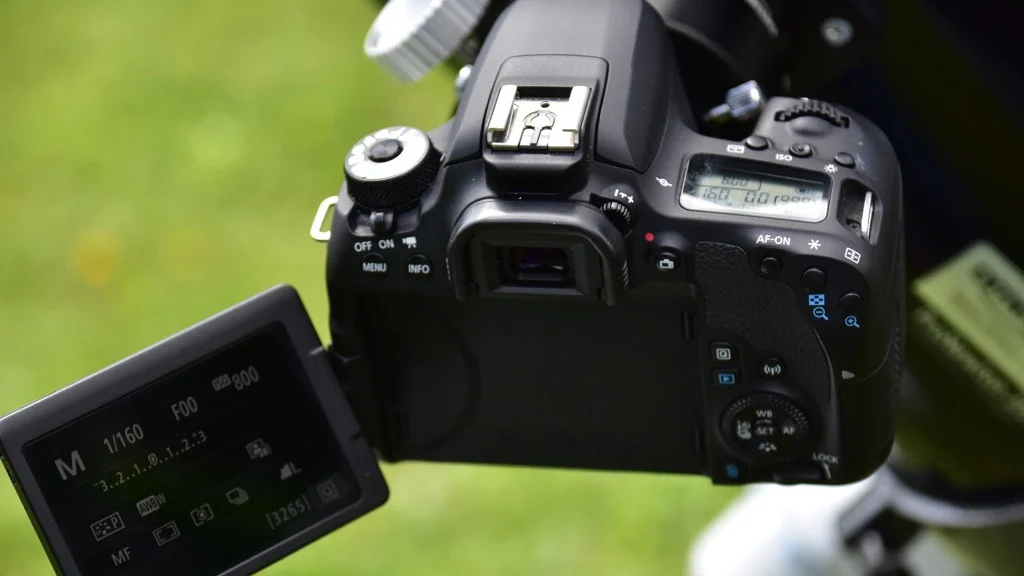
Setting up the camera correctly is an important factor in astrophotography. Here are a few key settings you should consider:
- Focusing: when focusing on a star or another celestial object, it’s best to use manual focus mode. You can also check the focus using Live View and the digital zoom function.
- Exposure time: the exposure time should be as long as possible to capture enough light without overexposing the image. As a rule, you should start with an exposure time of about 20–30 seconds and adjust as needed.
- ISO sensitivity: a higher ISO sensitivity allows you to capture more light in poor lighting conditions. However, too high an ISO setting can also cause image noise. It’s advisable to start with a low ISO setting (e.g. 800) and adjust as needed.
Example Settings with a Popular Entry-Level DSLR: the CANON EOS 400D
The Canon EOS 400D is an older DSLR camera, but it’s still capable of taking good astrophotography shots. Here are some possible camera settings for Milky Way photography with the Canon EOS 400D:
- ISO: choose an ISO value between 800 and 1600 to minimise image noise.
- Aperture: choose a large aperture to capture more light. An aperture of f/2.8 or wider is ideal.
- Exposure time: choose an exposure time of 20–30 seconds to capture enough light, but not so long as to increase image noise.
- Focusing: set the focus manually to infinity.
- Picture style: choose a flat picture style (e.g. Neutral) to make later editing easier.
- White balance: set the white balance manually to minimise unwanted colour casts.
- RAW format: choose the RAW format to capture more detail and allow better editing.
If you want more information, including about dedicated astrophotography cameras, you’ll find it behind the link.
A Tripod Is a Must. A Tracking Mount Makes Sense
If you want to take an astrophotography shot with the DSLR that involves a longer exposure time, a tracking mount is recommended. It compensates for the Earth’s rotation. Otherwise, at longer focal lengths, visible light trails appear from as little as 4 seconds of exposure.
The shorter the focal length, the longer you can expose without tracking. At a focal length of about 200 mm, you can expose for around 15–20 seconds.
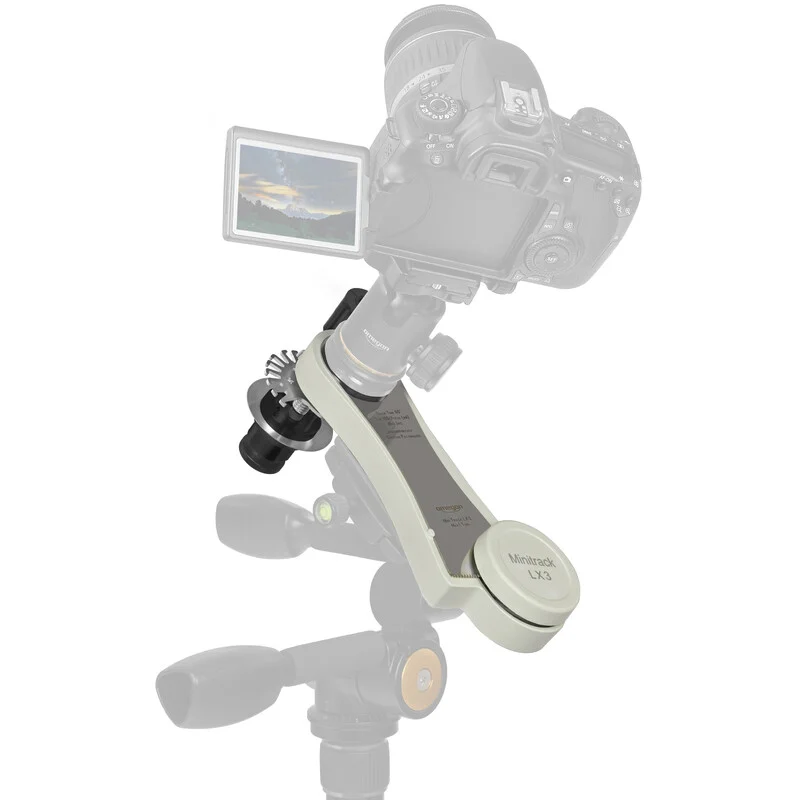
A simple and affordable star tracker is the Sky-Watcher Star Adventurer 2i Pro PackSky-Watcher Star Adventurer 2i Photo Set ($585.00€ 436)*. Together with a DSLR, you can take great shots, for example of the Milky Way.
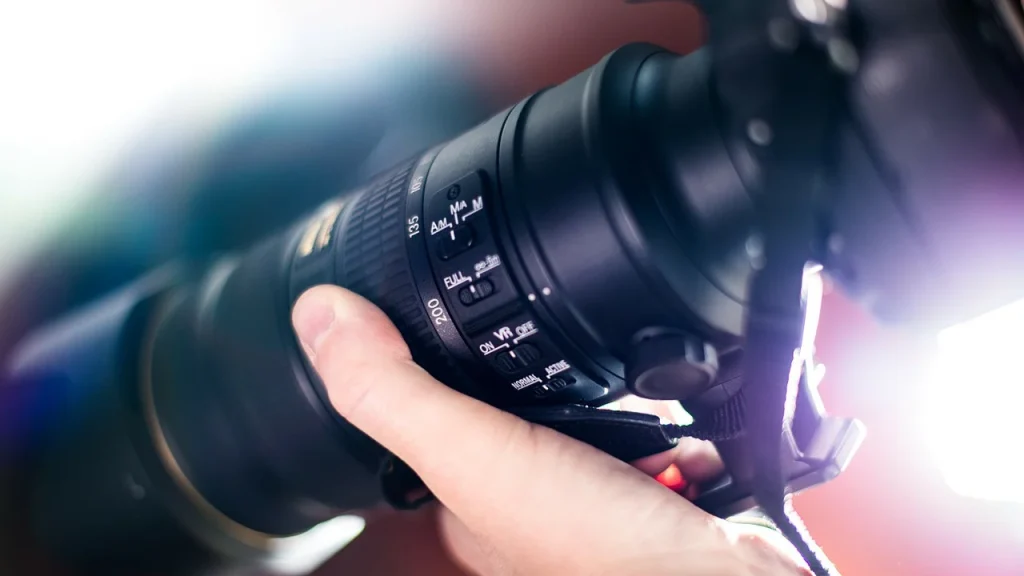
Which Lens for Getting Started in Astrophotography
The choice of lens depends on what you want to photograph. Below are examples of good beginner subjects and the corresponding lenses.
Lenses for Detailed Shots (Moon)
For Moon photography you need a suitable lens that offers enough focal length and light-gathering power to render the Moon in fine detail. Two lenses that could be suitable are the Sigma 18-300mm 3.5-6.3 and the Tamron 100-400mm F/4.5-6.3 Di VC USD.
Both lenses offer a wide focal-length range, which makes it possible to render the Moon larger or smaller as needed. The Tamron lens also has a slightly longer focal length and higher light-gathering power, which could make it even better suited to Moon photography.
Lenses for Wide-Field Shots
A good lens for Milky Way photography is the Rokinon 14mm f/2.8 lens or the Sigma 24mm f/1.4 lens. These lenses have a large aperture and sharp image quality. However, it’s important to check the lens’s compatibility with your camera.
The natural step up from a camera lens is a small astro refractor: the William Optics RedCat 51 and the Askar SQA55 are built for exactly this – short focal length, very fast, and light enough for a travel tracker.
Step-by-Step Guide to Photographing the Milky Way
- Preparation: make sure your camera is mounted on a tripod and the star tracker mount is correctly aligned.
- Lens choice: choose a lens with a short focal length to capture as wide a section of sky as possible. A focal length of 14mm to 24mm works well for Milky Way photography. A large aperture of f/2.8 or wider is also helpful for capturing more light.
- Settings: set the camera to manual settings. Choose an exposure time of 20 to 30 seconds to capture more light. Set the aperture to the widest possible opening to capture more light. Choose an ISO sensitivity of 1600 to 3200 to minimise image noise.
- Focusing: set the focus to infinity. You can also use Live View mode to focus manually.
- Shooting: start the exposure (delayed or via remote release to avoid camera shake) and let the camera expose for 20–30 seconds. Repeat this several times to collect enough images for later processing.
- Editing: use image-editing software such as Adobe Lightroom or Photoshop to stack the images and optimise the colours and contrast.
- Post your images on sterngucker.de 8)
You’ll find more information in the article: Photographing the Milky Way: guide, equipment & tips [2023]
Getting Started in Astrophotography: Image Editing
Editing astrophotography images can vary greatly depending on the type of shot and the desired results. Here, however, is a rough workflow that could work for many images:
- RAW development: most astrophotography images are taken in RAW format to allow higher quality and more flexibility in post-processing. RAW development is the first step in editing. Here you can adjust exposure, colour temperature, contrast and other settings to optimise the image.
- Alignment and stacking: if several images were taken to create a final image with higher resolution and less noise, they first need to be aligned and stacked. There is special software that can do this automatically, such as DeepSkyStacker.
- Image editing: after RAW development and stacking, further adjustments can be made to improve the image. This includes correcting colour casts, enhancing detail and bringing out structures. There are various free and paid image-editing programs for this, such as GIMP or Photoshop.
- Finishing: at the end, the image can be given a frame, text and other effects to complete it.
There are a number of free image-editing programs that can be used for astrophotography. Some of the most popular are GIMP, RawTherapee, Darktable and StarTools. There is also dedicated astrophotography software such as DeepSkyStacker, Siril or Astro Pixel Processor.
In addition, there are also general tips that may be of interest to beginners.
Astrophotography starts cheaper than most people think – and the telescope is often not the first thing you need.
Six short questions, an honest answer by email – even when binoculars are the better choice.
Setup for Advanced Users

Want to buy your first telescope? Here’s a quick check.